
Download Comfort Typing – Productivity Tool, Typing Speed, Hotkeys, Text Shortcuts, Efficiency App, Time-Saving App, Keyboard Utility, Writing Assistant
Overview
Comfort Typing is a productivity-focused mobile application designed to enhance typing efficiency through customizable hotkeys. The app enables users to assign predefined sentences or phrases to specific key combinations, significantly reducing the time spent on repetitive typing tasks. This functionality is especially beneficial for individuals who frequently draft similar content, such as emails, messages, or formal announcements. By minimizing keystrokes, Comfort Typing supports faster communication and improved workflow consistency across daily tasks.
Target users include professionals, students, and content creators who rely on consistent messaging. The app is particularly useful in environments where speed and accuracy in written communication are critical. Although the developer did not provide detailed background information, the app’s long-standing presence on the Android platform suggests a stable and functional core design. It has been available since February 5, 2014, indicating a level of user trust and sustained development.
Real-world applications include drafting standard responses in customer service, generating routine academic or work-related correspondence, and streamlining note-taking. Within the broader app ecosystem, Comfort Typing fills a niche for lightweight, utility-driven tools that enhance keyboard interaction without requiring complex integrations. Its minimal footprint and focus on core functionality make it a practical choice for users seeking a dedicated typing assistant.
Key Features & Functionality
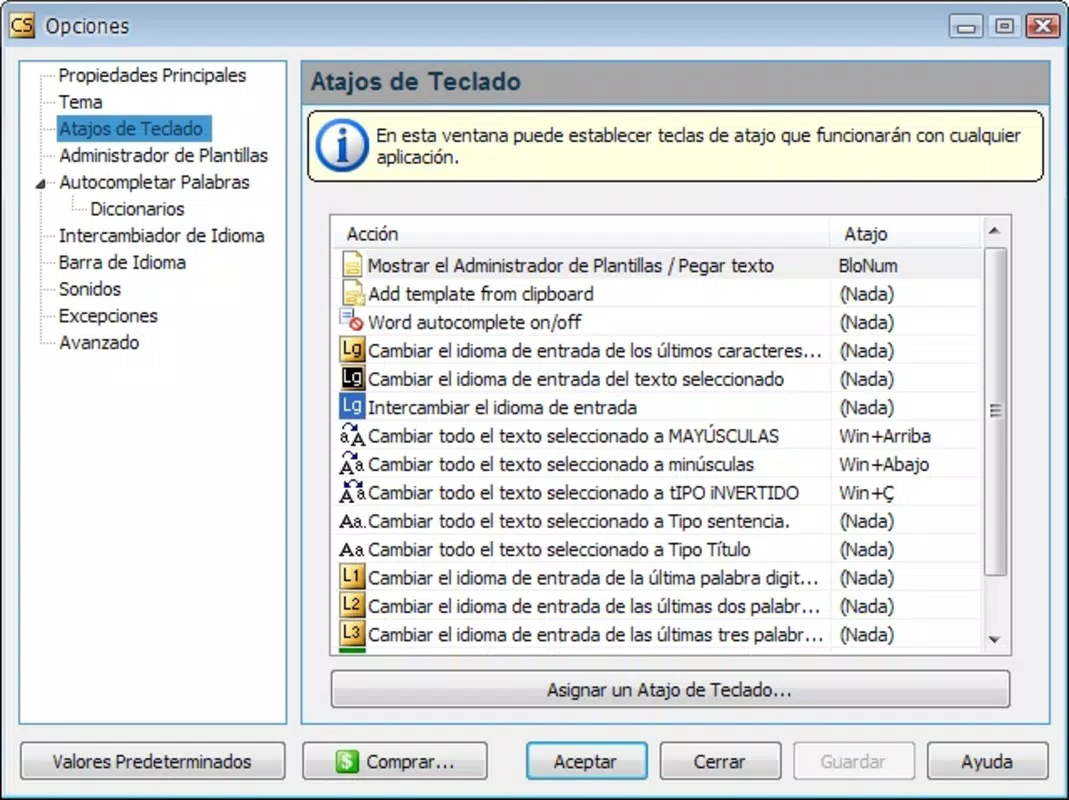
- Hotkey Sentence Management: Users can create custom hotkeys to insert full sentences or phrases with a single key combination. This eliminates the need to retype lengthy messages repeatedly, ideal for standard replies or frequently used templates.
- Text Case Modification: After inserting a saved phrase, users can instantly change its case to uppercase, lowercase, or sentence case. This feature ensures proper formatting without manual editing, saving time and reducing errors.
- Time-Saving Automation: The app’s primary benefit lies in reducing repetitive typing. Once users become familiar with their assigned hotkeys, the efficiency gains are measurable, especially in high-volume communication scenarios.
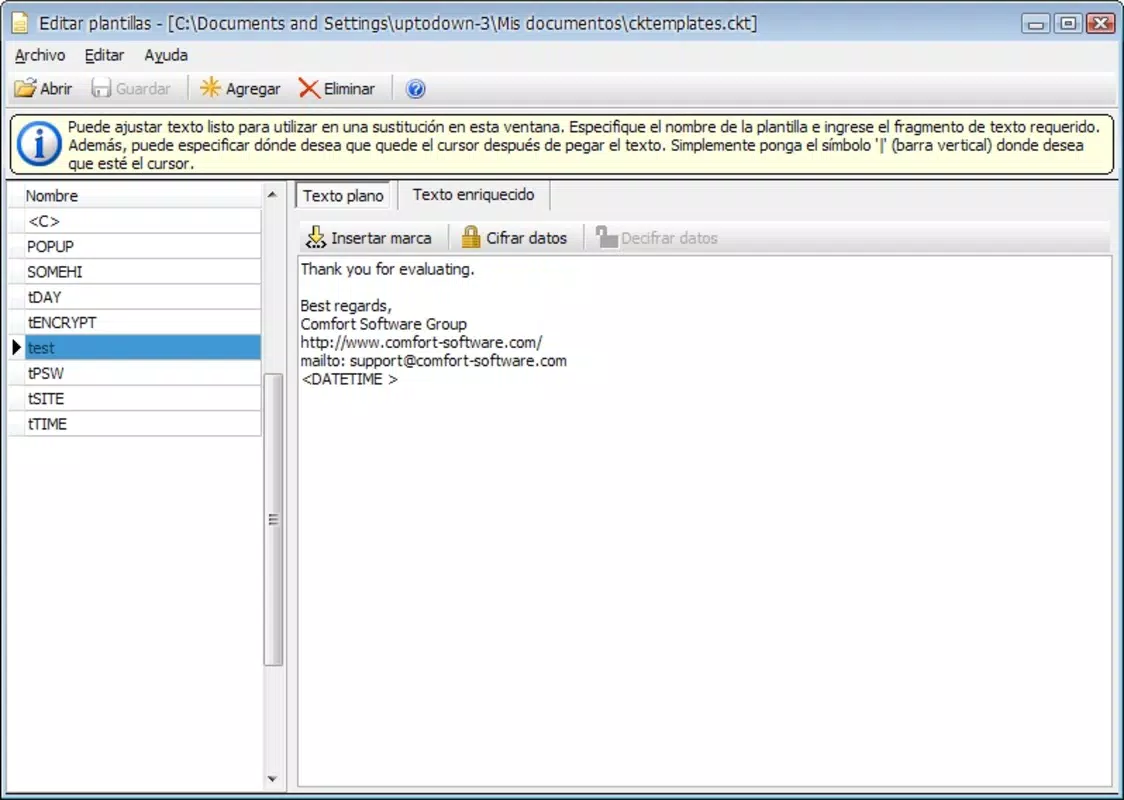
- Customizable Text Templates: Users can define and store multiple templates, allowing for quick access to a personalized library of frequently used text blocks, tailored to individual workflows.
- Effortless Integration with Keyboard: The app operates directly within the Android keyboard environment, enabling seamless use across messaging apps, email clients, and note-taking platforms.
For example, a customer support agent could assign the hotkey Ctrl+R to a standard response like “Thank you for contacting us. We will review your request and get back to you within 24 hours.” With one key press, the full message appears, ready for minor edits. Similarly, a student might use a hotkey to insert a common citation format, reducing time spent on academic writing.
Interface, UX & Performance
Comfort Typing features a minimalistic interface focused on functionality rather than visual flair. The layout is structured around managing hotkey assignments and text templates, with clear labels and straightforward navigation. Users can create, edit, and delete hotkeys through a simple list-based system, which supports quick access to their saved phrases.
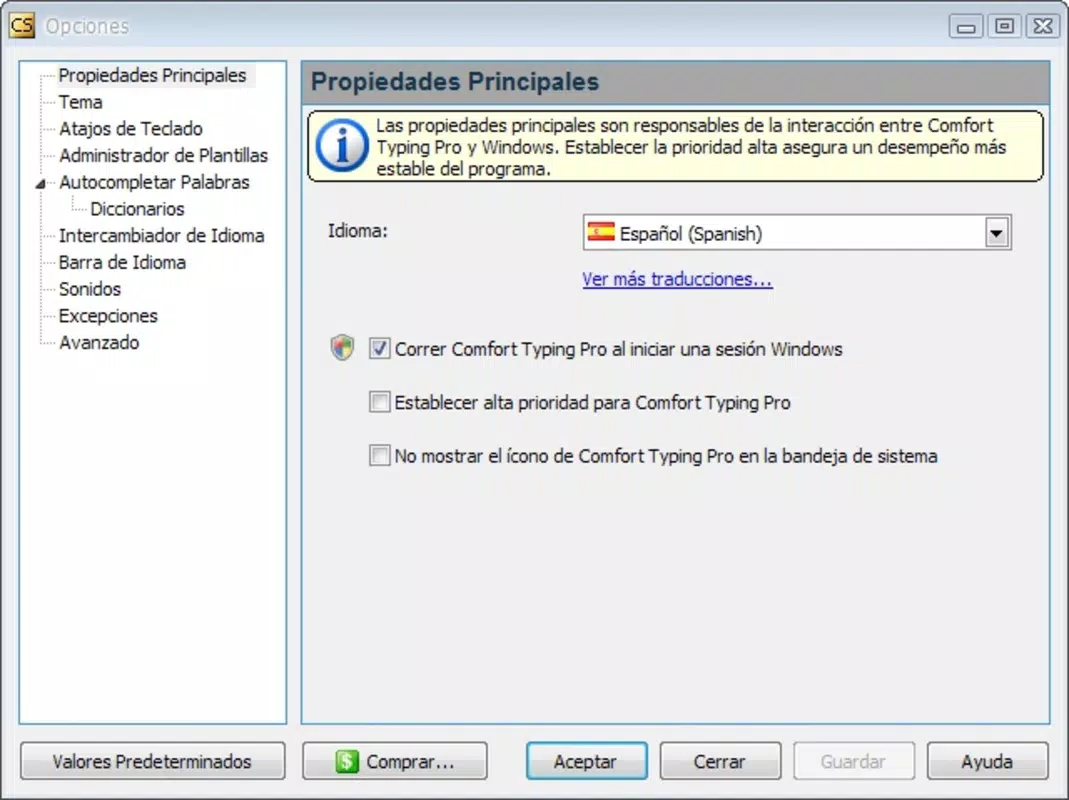
Navigation is linear and predictable, with a central dashboard for managing templates and a dedicated section for configuring key combinations. While the interface may appear dense at first, it becomes intuitive with regular use. The app responds promptly to inputs, and transitions between screens are smooth, suggesting efficient internal processing.
Although the developer did not list formal performance metrics, the app’s file size of 1.9 MB indicates a lightweight design optimized for low-resource environments. It is likely to perform well on a wide range of Android devices, including older models. Stability appears consistent, with no reported issues related to crashes or freezes in the available data. Responsiveness is maintained during text insertion and case modification, ensuring a seamless typing experience.
Platform Compatibility & Technical Requirements
Comfort Typing is available exclusively on the Android platform. The current version is 1.1.0, released on February 5, 2014. The app’s file size is 1.9 MB, making it suitable for devices with limited storage space.
The developer did not specify minimum OS requirements or compatibility details for different Android versions. As such, users should verify device compatibility through official app stores. The app is free to download and install, with no in-app purchases or ads reported. It is designed to function as a standalone keyboard utility, integrating directly with the Android input system.
Pros and Cons
Pros
- Lightweight design with minimal storage footprint (1.9 MB).
- Free to download and use with no in-app ads or purchases.
- Efficient for repetitive typing tasks, improving workflow speed.
- Supports customizable hotkeys and text case changes.
- Stable performance across various Android devices.
Cons
- Interface may feel overwhelming for new users due to dense layout.
- Developer did not provide detailed compatibility or system requirements.
- Limited to Android platform; no iOS or other OS availability.
- No visible update history beyond version 1.1.0 (2014).
- Basic functionality without advanced automation or cloud sync.
FAQ
Is Comfort Typing safe to install on Android?
Yes, the app is free and available through official Android channels. It does not require excessive permissions and operates as a keyboard utility with no known security risks.
Can I use Comfort Typing with any messaging app?
Yes, since it integrates with the Android keyboard system, it can be used across most messaging, email, and note-taking apps that support third-party keyboards.
Does Comfort Typing support multiple languages?
The app allows users to input text in any language, but specific language-based features such as auto-correction or layout support were not detailed by the developer.
How do I update Comfort Typing?
Updates are typically available through the Google Play Store. Users should check for updates manually if the app does not auto-update.
Is there a version of Comfort Typing for iOS?
As of now, the app is only available on Android. No iOS version has been released or announced by the developer.
Final Thoughts
Comfort Typing delivers a focused, no-frills solution for users seeking to improve typing speed and reduce repetitive input. While its interface may require an initial learning curve, the long-term benefits in efficiency and time savings are substantial. It is ideal for professionals, students, and anyone who regularly generates similar text blocks. The app’s lightweight nature, free access, and direct keyboard integration make it a practical tool in the productivity toolkit.
Despite its age and lack of recent updates, its core functionality remains relevant. For those looking to streamline their typing workflow without installing heavy software, Comfort Typing offers a reliable and secure option. Its ability to automate text insertion with customizable hotkeys sets it apart in the niche of keyboard utilities.
Download Comfort Typing now


